Webinar Transcript
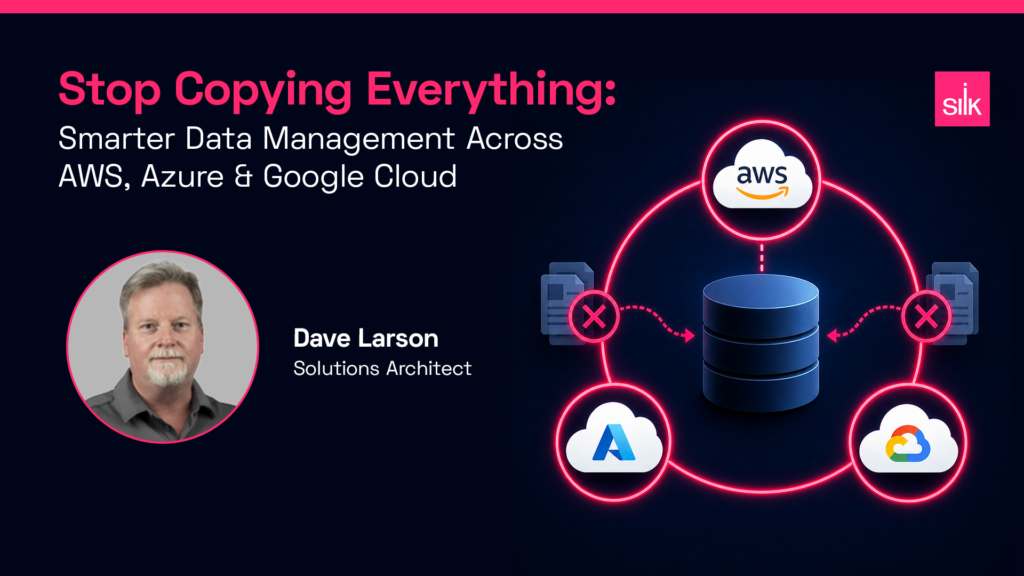
Stop Copying Everything: How Silk Facilitates Smarter Data Management Across AWS, Azure, and Google Cloud
Speakers: Damon Miller, Head of Field Engineering | Dave Larson, Principal Solutions Architect
Overview & Silk Copy Data Management
Damon Miller
Welcome, everyone. Today’s topic is Stop Copying Everything: How Silk Facilitates Smarter Data Management Across AWS, Azure, and Google Cloud. I’m Damon Miller, I lead our field engineering team. With me is Dave Larson, Principal Solutions Architect, who will walk us through copy data management across our supported clouds.
Dave Larson
Thanks, Damon. I’ll start with a quick overview of Silk and our copy data management capabilities, then move into a live demo covering two real-world use cases.
As Damon mentioned, Silk supports copy data management across AWS, Azure, and GCP. At the core, Silk as a storage technology lets you create copies of data instantaneously — without consuming additional capacity. Whether you have a base volume connected to a database server or an application server, we can create snapshots on a schedule: every minute, every 15 minutes, hourly — whatever your operation requires.
Our capabilities are also database-aware, so we can take database-consistent snapshots and track deltas between them. That’s a copy-on-write, snapshot-based model. But the most important feature is the ability to take those snapshots and create what we call Silk Thin Clones — instantly available, read/writable copies you can use for:
- Development & testing environments
- AI workloads and analytics
- Reporting copies
- Disaster recovery — replicated to another region, availability zone, or cloud
These thin clones are also rollback-capable. Need to replay transactions in a testing cycle, or restore accidentally deleted data for production support? You can instantly clone from any prior snapshot and bring it online.
Bending Time and Cost
Dave Larson
This is the comparison that really illustrates the difference. Let’s say you have a 10 TB production database and you need a copy for development, testing, or analytics.
With cloud-native snapshots, we tested a 10 TB SQL Server database on Azure — it took nearly 13 hours to create that snapshot. Even a smaller 20–50 GB disk still takes about 13 minutes. With Silk, that same 10 TB database takes 15 to 20 seconds to snapshot. We can then mount it to a development or analytics server in another ~45 seconds — database online, renamed, ready to go.
We don’t just bend time — we bend the cost curve too. Cloud-native storage for a 10 TB production database might run $5,000/month, with each additional copy costing another $5,000. Silk customers typically see 30–60% lower storage costs overall. That same production copy might be ~$2,500/month, with thin clones adding near-zero cost — you only pay for change blocks written after the clone is created.
Silk Architecture
Dave Larson
Silk deploys inside your own cloud tenant — your subscription, your project. We run our software on cloud virtual machines (EC2 in AWS, VM instances in Azure or GCP) and create a virtual SAN that connects to any Windows or Linux server in the cloud, using any VM type.
Customers choose Silk when they need exceptional performance and when they need to lower overall storage cost. Both objectives are served by the same architecture.
Demo: Automated Snapshot & Clone via API
Dave Larson
For this demo, I have a SQL Server production environment with four databases — Finance, HR, Inventory, and Silk DB — and two development servers: Dev 01 and Dev 02.
The first use case: creating a database copy using our built-in automation tool with API plugins to the Silk infrastructure. We call our snapshot and clone feature Echo.
Here’s the workflow:
- Select the source host (Silk Prod)
- Choose the target database (Inventory DB)
- Optionally name the snapshot
- Select a target host (Dev 01)
- Choose consistency mode — application-consistent or crash-consistent
- Set a name for the resulting database on the target
- Submit the job
The initial snapshot took about 7 seconds. From there, Echo handles thin clone creation, mounting to the destination host, and attaching the database. Total end-to-end time from submit to a fully online, renamed database on the dev server: under 2 minutes.
Demo: Point-in-Time Production Restore
Dave Larson
This second use case demonstrates production-level support. Starting with a table called Person 2 in the HR database — 19,972 records — I ran a TRUNCATE command, dropping all rows to zero. This simulates an accidental deletion.
To restore, I went into Echo and selected an earlier snapshot of the HR database, named the clone “HRDB Restore,” and mounted it back to the production server. Within seconds of the clone attaching, I had a readable copy of Person 2 with all 19,972 rows intact.
A simple INSERT INTO from the restored table back into production, and the count was back to 19,972. Total time from issuing the restore command to confirmed recovery: approximately 4 minutes.
For context: a traditional DBA restore of a 1–10 TB database involves recovering from last night’s backup and replaying transaction logs. That process typically takes several hours. Silk compressed it to 4 minutes.
After confirming the restore, I used Echo to clean up — dropping the clone, unmounting the disk, and returning the production environment to its normal state.
Q&A Highlights
Damon Miller
I want to reinforce something architecturally: when Silk takes a snapshot, we don’t copy the data in the volume to another volume. We record pointers to the constituent set of blocks — and we’re ready. That’s why what takes a cloud provider 13 hours is a 3-second operation for us.
Damon Miller — Q: Can you clone a clone? How deep can you go?
Dave Larson
Yes — Silk supports up to 4 generations of cloning. A common pattern is: take a production clone, run a data masking script on that copy, then fan out multiple masked copies to individual developers. Every developer gets their own production-fidelity dataset, at near-zero incremental storage cost.
You can also apply RBAC controls through whatever tooling you use — Terraform, Ansible, Chef, Puppet, PowerShell. Silk exposes a published API, so you can restrict what developers or DBAs can see and do, or build snapshot and clone operations into your infrastructure-as-code pipelines.
The Constellation visualization tool provides a holistic view across all hosts, snapshots, and clones — showing lineage and connections at a glance.
Damon Miller — Q: Does Echo support multi-cloud replication (AWS, Azure, GCP)?
Dave Larson
Absolutely. The Echo orchestration tool is deployed inside each region or AZ you operate in, per cloud provider. If you configure point-to-point replication between, say, Azure and AWS, you can use Echo at the AWS destination to create clones from replicated snapshots — exactly the same workflow.
We have customers who originally set up Azure-to-GCP replication for DR, then realized they had surplus cloud capacity at the destination. Now they’re running reporting queries and development workloads out of that DR site, effectively monetizing spare cloud commitment.
Closing Summary
Damon Miller
To summarize: Silk efficiently supports database clone and snapshot operations through Echo, which gives you database-level visibility into your infrastructure. We visualize that lineage through Constellation. And the underlying architecture delivers meaningful advantages over cloud-native storage in both speed and cost.
Dave Larson
One more thing — last month we ran a session on using snapshots and thin clones to accelerate data warehousing ETLs: how to speed up the extraction step and create distribution copies for BI, AI, or reporting environments. Worth a watch if those use cases are relevant to your team.